
You finish a swap, disconnect the site in MetaMask, and close the tab. A month later an approval checker still lists the app. Both screens can be right. The first concerns a website’s connection to your wallet. The second reads a spending permission recorded by a token contract.
What disconnecting actually changes
Connecting a dapp allows it to see the accounts you share and ask the wallet for actions. Disconnecting ends that connection. The website may still know an address you previously shared, and public blockchain activity at that address stays visible.
An ordinary ERC-20 approval lives elsewhere. The token contract records how much a particular spender may transfer from a particular owner’s balance. Closing a browser tab, locking MetaMask, or disconnecting the site does not change that entry. The ERC-20 standard calls the remaining permitted amount the allowance.
Follow an 80-token allowance
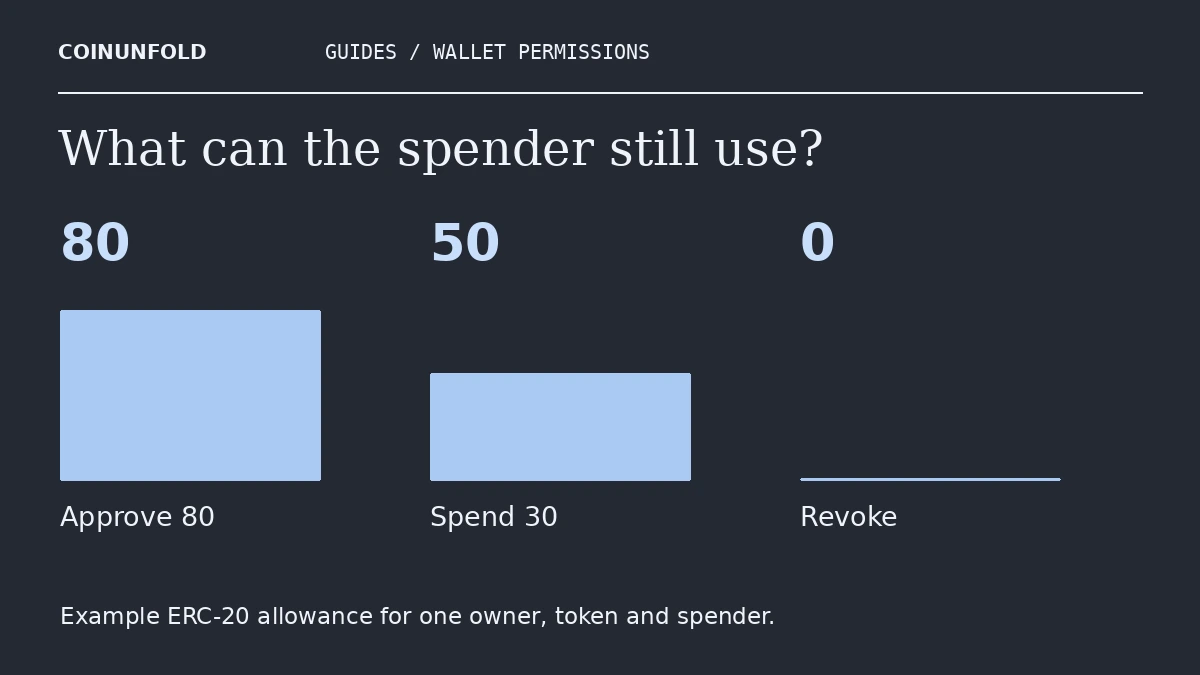
Suppose you own 100 units of a standard example token and authorize a swap contract to spend up to 80. Giving the approval alone leaves your balance at 100. When the contract later uses 30 units for a swap, your balance falls to 70 and, in this ordinary finite-allowance example, the remaining permission falls to 50.
Disconnect the website at this point and the permission can still be 50. Revoke it successfully, and the remaining permission for this spender and token becomes zero. The swap has already happened. Revocation cannot put those 30 tokens back. Real tokens can implement special behavior, especially for maximum or “unlimited” allowances.
How to check and revoke the right permission
1. Identify the account and network. Start in the wallet and open its official support or approvals interface yourself. A search ad, a direct message, or a link supplied by someone claiming to have rescued your funds is a poor starting point. You can inspect public approvals using an address without entering a recovery phrase.
2. Match the token and the spender. Token symbols can repeat. Check the token contract and spender address, then look at the current allowance. The spender may be a router used by a dapp, so the website’s name alone is insufficient. If the entry is on another chain or belongs to a different account, changing it will leave the intended permission in place.
3. Read the proposed action before signing. For a standard onchain revocation, the relevant allowance should be reduced to zero. The transaction usually costs gas in the network’s native asset. After confirmation, refresh the checker and verify the result. MetaMask’s revocation guide links to supported ways to inspect permissions.
When an approvals check is only part of the answer
This walkthrough covers ordinary ERC-20 allowances. NFT operator approvals and signature-based permissions such as permits have different mechanics. If you shared a recovery phrase or private key, someone else may be able to sign directly as the owner. Removing one spender cannot restore exclusive control of the account. Use the wallet provider’s official recovery guidance from a trusted device. For background, see our MetaMask setup and recovery guide. To check the fee on a confirmed revocation, use our Ethereum gas receipt worksheet.