
You place a limit order because the exchange advertises a lower maker fee. Later the receipt shows two fee rates. Before contacting support, check the individual fills. A single instruction can take liquidity immediately and leave the rest on the order book for someone else to take.
What makes a fill a maker or a taker?
An order book is a list of prices and quantities people are willing to trade. If part of your order matches a price that is already there, your fill takes available liquidity. If your order waits on the book until a later trader matches it, that fill makes liquidity available. The limit price controls the worst price you have agreed to. It does not tell you on its own which fee you paid.
Say the cheapest sell offer is $100 per unit. A buy limit at $100 can trade straight away. A buy limit at $99.50 can wait if no seller is offering that price. A price can move between the moment you read it and the moment the exchange receives your order. Use the exchange’s fill record to see what happened.
Reconcile a $1,000 order in two lines
Imagine buying 10 units at a limit of $100 each. Four are on offer at $100 when your order arrives. You take those four, then the remaining six sit on the book and later trade at $100. Assume an illustrative taker rate of 0.60% and maker rate of 0.25%, with fees charged in dollars.
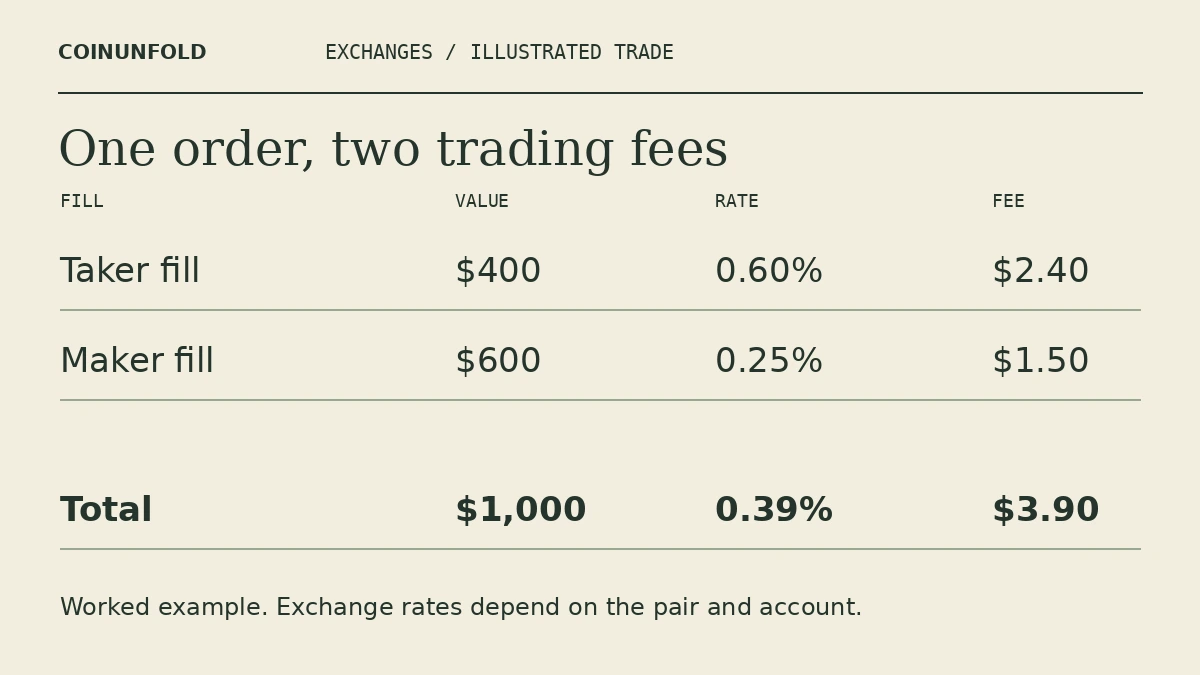
Immediate fill: 4 × $100 = $400 traded. The fee is $400 × 0.006 = $2.40.
Resting fill: 6 × $100 = $600 traded. The fee is $600 × 0.0025 = $1.50.
You paid $3.90 on $1,000, an effective fee of 0.39%. Taking the simple average of the two posted rates gives 0.425%, which misses the different sizes of the fills. If you had cancelled the six remaining units before they traded, the filled value would be $400 and the example trading fee would be $2.40.
What “post-only” changes
On a venue that supports post-only orders, the instruction asks the venue to place an order on the book only if it can initially rest there. Check the venue’s handling of an order that would match immediately. It may be rejected or cancelled. Even when it rests, the price could move away before a single unit trades. Paying a lower percentage is only one part of the outcome.
What to look for on your own trade export
Start with the pair, fill price, quantity, fee amount, and the currency of the fee on each line. Some exports show several fills for a single order ID. Convert fees to a common currency before adding them, especially if you used a separate token to pay. A trading-fee total also leaves out the spread, price movement and a later withdrawal charge.
Coinbase Advanced describes partial fills and Kraken explains how its trading fees apply. Check the schedule for your account, pair, and product. Our exchange comparison guide shows how to compare the amount you can actually take home.